
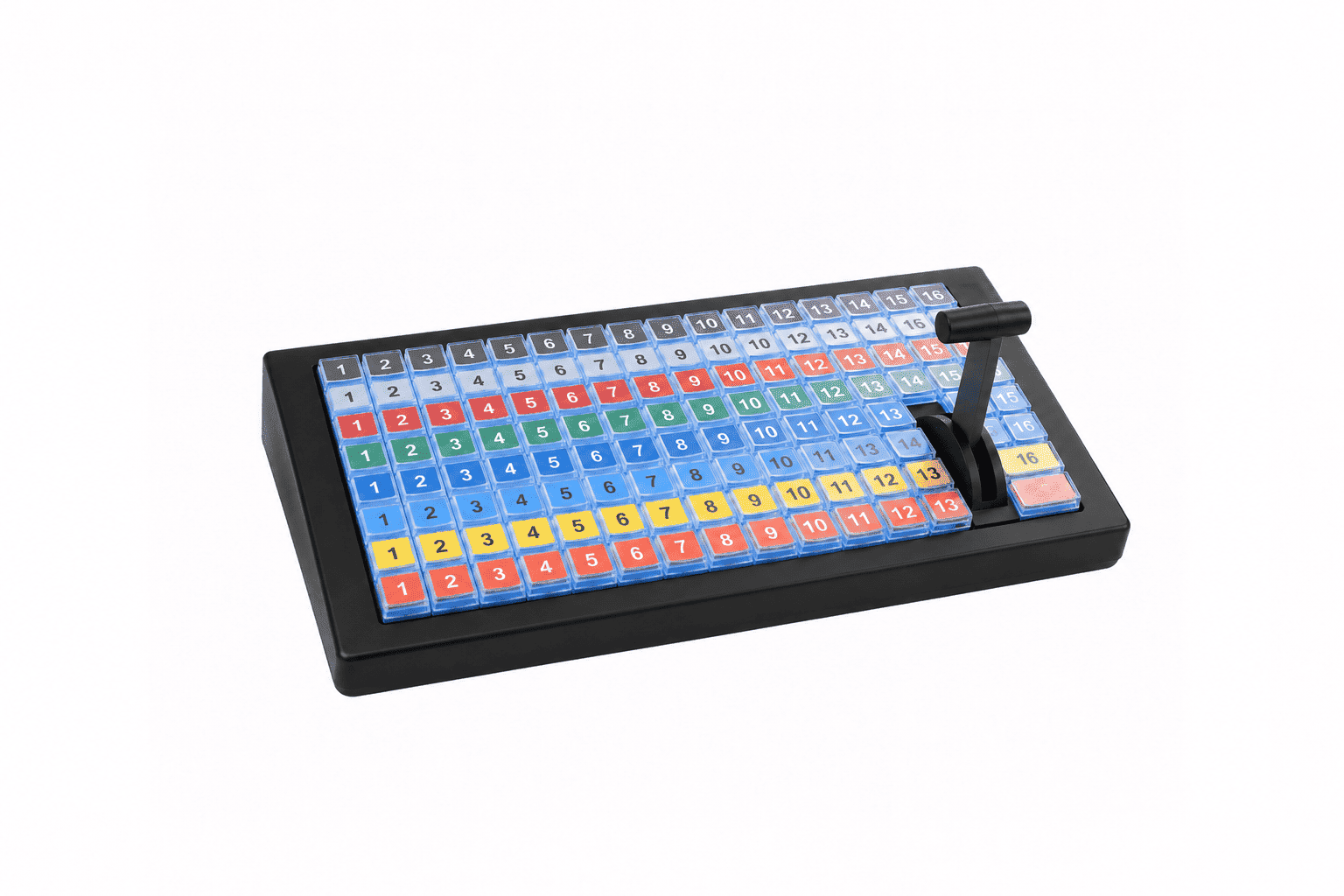
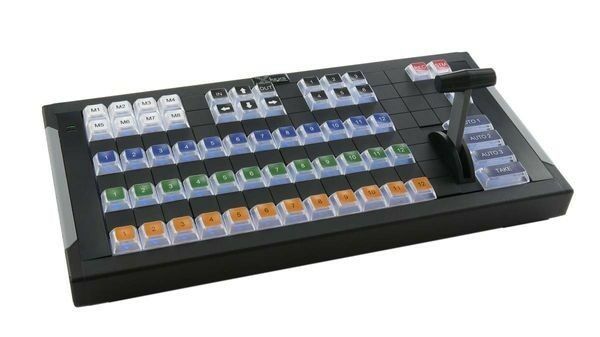

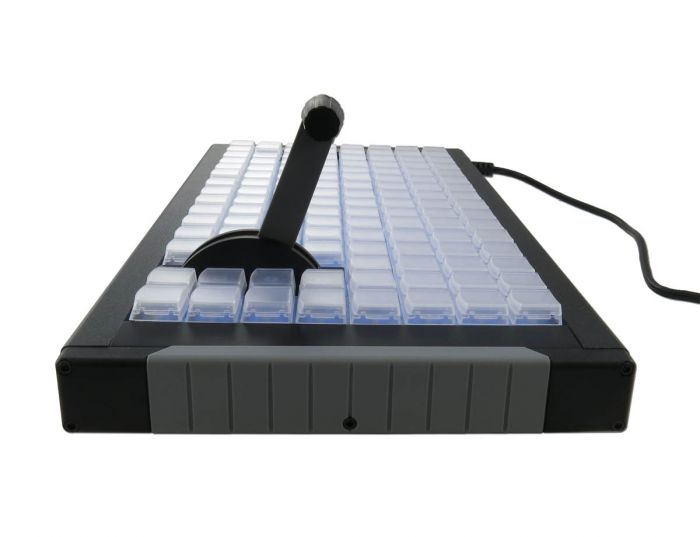

De X-Keys XKE-124 T-Bar is een professioneel programmeerbaar toetsenbord met 124 afzonderlijk instelbare toetsen en een geïntegreerde T-Bar. Met één druk op de knop voer je macro’s, sneltoetsen en veelgebruikte opdrachten uit, terwijl de T-Bar nauwkeurige en vloeiende overgangen mogelijk maakt. Ideaal voor broadcasting, livestreaming en professionele videoproducties waarbij snelheid en controle belangrijk zijn.
€ 964,00 excluding VAT
Available via back order
Met de X-Keys XKE-124 T-Bar combineer je 124 programmeerbare toetsen met een geïntegreerde T-Bar voor uitgebreide controle over jouw werkzaamheden. Je kunt macro’s, sneltoetsen en veelgebruikte opdrachten aan afzonderlijke toetsen toewijzen, zodat je functies direct uitvoert zonder steeds door verschillende menu’s te navigeren. Hierdoor werk je sneller en overzichtelijker tijdens professionele producties.
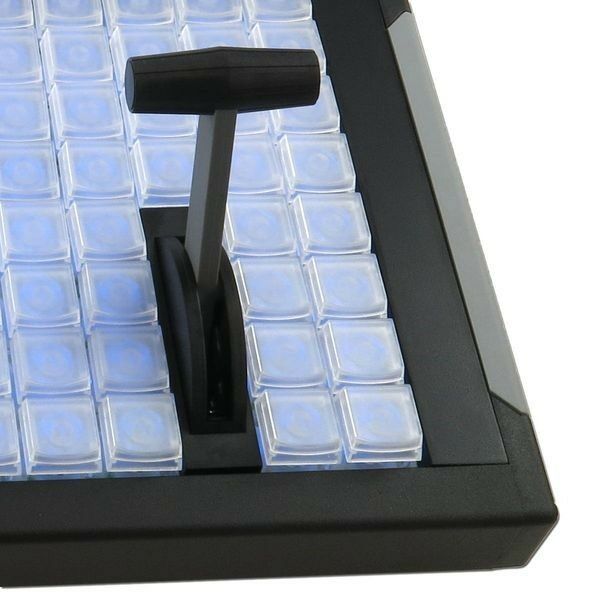
De geïntegreerde T-Bar biedt vloeiende analoge bediening en geeft nauwkeurige positiegegevens door aan geschikte software. Hiermee kun je bijvoorbeeld overgangen tussen camerabeelden regelen of andere functies bedienen die een geleidelijke aanpassing vereisen. Met de gratis programmeersoftware voor Windows en macOS stel je de toetsen in op basis van jouw werkzaamheden. Voor de T-Bar zijn geschikte software of een aangepaste integratie nodig.
Dankzij de verwisselbare toetskapjes kun je functies voorzien van persoonlijke labels. De afzonderlijk instelbare rode en blauwe achtergrondverlichting maakt belangrijke toetsen herkenbaar, ook in minder goed verlichte ruimtes. De stevige aluminium behuizing zorgt voor een stabiele en duurzame uitvoering.
De XKE-124 is geschikt voor broadcasting, livestreaming, videobewerking, audiovisuele producties en technische besturing. Door veelgebruikte opdrachten en nauwkeurige T-Bar-bediening samen te brengen op één apparaat creëer je een overzichtelijke en efficiënte workflow.
Door veelgebruikte functies en opdrachten toe te wijzen aan programmeerbare toetsen, kun je onnodige muisbewegingen en ingewikkelde toetsencombinaties beperken. Hierdoor blijven belangrijke functies binnen handbereik en hoef je minder vaak tussen verschillende menu’s en invoerapparaten te wisselen.
De geïntegreerde T-Bar maakt het mogelijk om vloeiende overgangen en andere analoge functies rechtstreeks te bedienen. Hierdoor hoef je niet voortdurend naar een ander bedieningsapparaat te grijpen. Bij een passende inrichting van de werkplek kan dit herhalende handelingen beperken en bijdragen aan een comfortabelere manier van werken.
Wil je live producties overzichtelijker bedienen en profiteren van nauwkeurige T-Bar-besturing? Met de X-Keys XKE-124 T-Bar creëer je een professionele werkplek waarin jouw belangrijkste functies direct binnen handbereik zijn.
De X-Keys-producten zijn exclusief verkrijgbaar bij Backshop in Nederland. Bij ons vind je een gespecialiseerd assortiment programmeerbare toetsenborden en bedieningspanelen, gecombineerd met persoonlijk advies van onze ergonomisch adviseurs.
Heb je vragen over de X-Keys XKE-124 T-Bar of wil je weten of dit toetsenbord geschikt is voor jouw werkzaamheden? Neem contact op via info@backshop.nl of bel 010-470 26 11. We helpen je graag bij het vinden van de juiste oplossing voor jouw werkplek.
| Weight | 2.25 kg |
|---|---|
| Brand | X-Keys |
| Cable length | 300 cm |
| Complaint Resolution | CANS, Neck, Preventive, RSI, Shoulder |
| Waterproof ip68 ip65 | IP 40 |
| Product Weight | 2130 grams |
| Material | plastic |
| Programmable buttons | Yes |
| Type of keys | membrane: carbon on gold contacts |
| Backlight | Yes |
| Keystroke | medium |
Download the manuals here:
On average, mice take up 30% to as much as 70% of working time behind a monitor. These percentages depend on the work tasks, but there is no denying that they are substantial. Thus, the mouse is still gaining ground on the keyboard, especially with the increasing use of online applications. Still, the mouse has to settle for a marginal place, somewhere to the right of the keyboard. The mouse is even almost out of reach when there is too much "clutter" on the desk or when the desk is too narrow.
Research into causes of RSI complaints
Research by Peper and Harvey (1997) at San Francisco State University demonstrated the relationship between keyboard width and muscle tension in the neck, back, arms and wrists. Mouse users especially report tension complaints of neck, back and arms. These complaints are compounded by chronic tension caused when the cursor must be moved accurately.
Many mouse users hold the index finger still just above the mouse surface, in tense anticipation of the next mouse click. This is another cause of chronic tension in the hand, wrist joint, all the way to the shoulder area.
The effect goes even further, as it also results in high chest breathing. A better working method is to include micro and macro pauses every time we have to wait. Use the waiting time to drop the hands in the lap to rest for a while. Thus, the time spent holding the mouse in the hand can be shortened considerably in favor of recovery time.
Over time, "mouse abuse" can lead to irritation of muscles and tendons and reduced blood flow to the tissues in the hand, arm and shoulder. Before we know it, we are suffering from the chronic overuse condition also known as "mouse arm.
It need not come to this, if we take an ergonomic mouse, appropriate to hand size and work, and take a few simple precautions in terms of posture and behavior.
Prolonged work behind the monitor is low-movement and any variety is mental rather than physical. Progress has advanced to the point where we send emails to colleagues working in the same room. Thus, the body remains statically tethered to the chair and the muscles remain tense at a low, yet unconsciously too high, level while working.
Because we don't notice that relatively low level of tension, because the tension is only 5-10 percent of the level of maximum tightening. That seems almost nothing, but continuous low muscle tension is actually harmful. This is because the muscles are not given a chance to move smoothly and then relax and recover. This, in turn, contributes to the development of mouse arm and carpal tunnel syndrome.
It is therefore important to move around as much as possible and to alternate the work. Even if you have the most ergonomic mouse and the desk is so ergonomically designed, the responsibility for correct use, behavior and frequent change of position lies with you as the user and "owner of your body".
Movable and relaxed neck and shoulder muscles
Many screen users complain of pain in the neck and shoulders. Most probably because the attention is concentrated on the screen and not on the body. The unconscious and slow raising of the shoulders is not noticed. Until it starts to hurt. Also, the neck is often stretched forward to see better. This too strains the muscles unnecessarily. Simple exercises make the tension conscious and only then can the tension be consciously released.
1.Dangle
Let the arms dangle along the body. Draw the shoulders up toward the ears and hold the tension for a moment. Release the shoulders. Pull the shoulders up a little further and release again. Rotate the shoulders around and feel the relaxation. Keep breathing calmly.
2.As a turkey
Pull your neck back as if someone were pulling a string attached to the back of your neck. Just keep your head straight or look down slightly. Keep your shoulders, jaws and tongue relaxed. Continue to breathe easily and relaxed. Stay in this turkey pose for about 5 seconds. Do this exercise 10 times a day.
3.Write with your shoulders
Imagine a very long pencil strapped to the head of your right shoulder. The pencil reaches up to the wall. Write your first name on the wall and do so by moving your shoulder. Now write your last name on the wall with your left shoulder. Repeat this exercise a few times with different texts.
4.Reach for the ceiling
Bring both your arms above your head with your fingers pointing to the ceiling. Breathe with the stretching. Reach toward the ceiling with your left hand, release slightly, then reach toward the ceiling again with the right hand. Go back and forth like this for one minute. As you stretch your right arm upward turn your head to slightly to the left. As your left arm stretches upward you turn your head to the right. Experiment with the direction of the head and arms.
5.The upside-down world of the chair
The wrist is a delicate joint. Muscles, tendons, blood vessels and nerves run through a narrow, fragile tunnel there. Therefore, keep your wrists straight so that nerves are not pinched and blood flow, and thus recovery, is not unnecessarily disrupted. Your hand, just below your little finger, makes an angle with the forearm when you bend your hands outward. This often happens unconsciously when you type or when you mouse. Eventually, a persistent condition called "carpal tunnel syndrome" can develop. Working with bent wrists can also cause discomfort in the neck, shoulders and arms. Therefore, avoid working with bent wrists as much as possible.
Exercises you can do yourself to prevent RSI
Spread the fingers of both hands as far apart as you can. Do this for five seconds while keeping your shoulders and jaws relaxed. Now ball the hands into fists. Do that again for five seconds while keeping your shoulders and jaws relaxed.
Repeat the exercise three times.
Place the palms together and then press the hands down. Keep the palms flat and press them together.
Hold your hands behind your back. Straighten your arms and your elbows. Now push your arms away from your back as far as possible while continuing to breathe calmly and keeping your shoulders relaxed. Then return to the starting position. Relax again.
Repeat the exercise five times.