
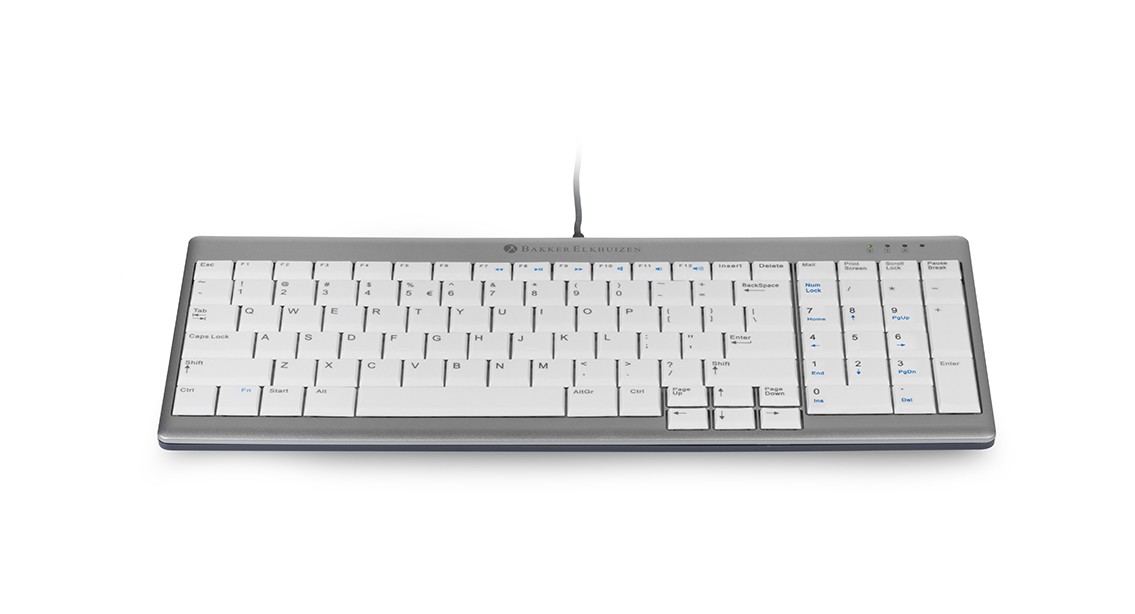
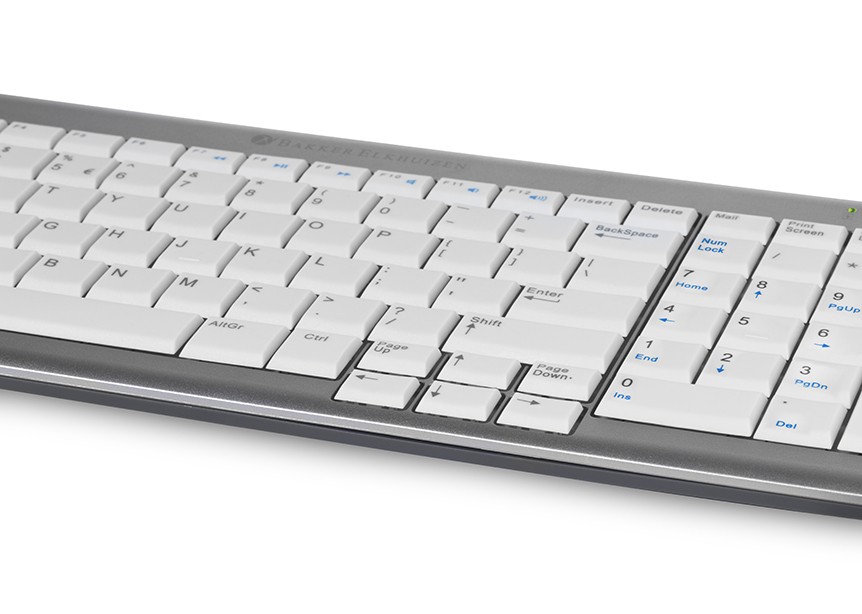
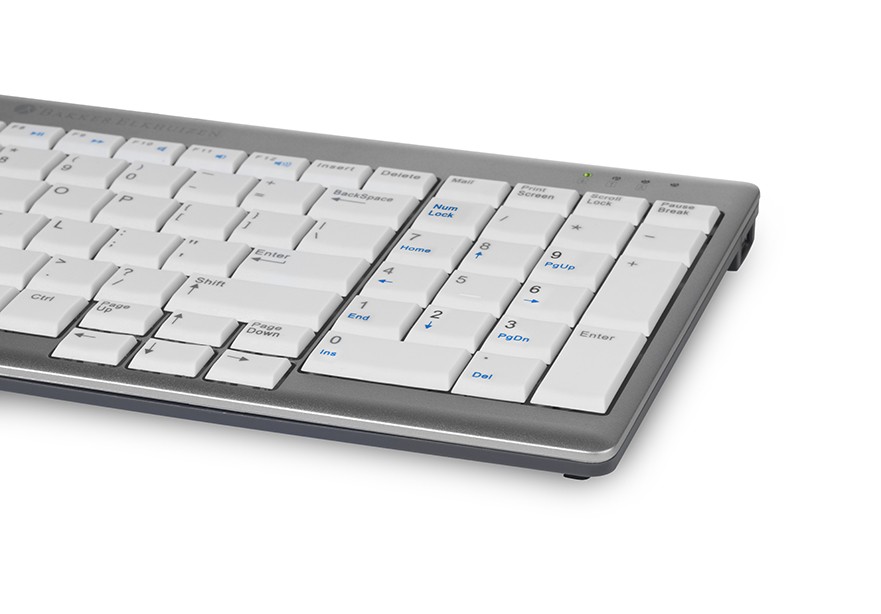
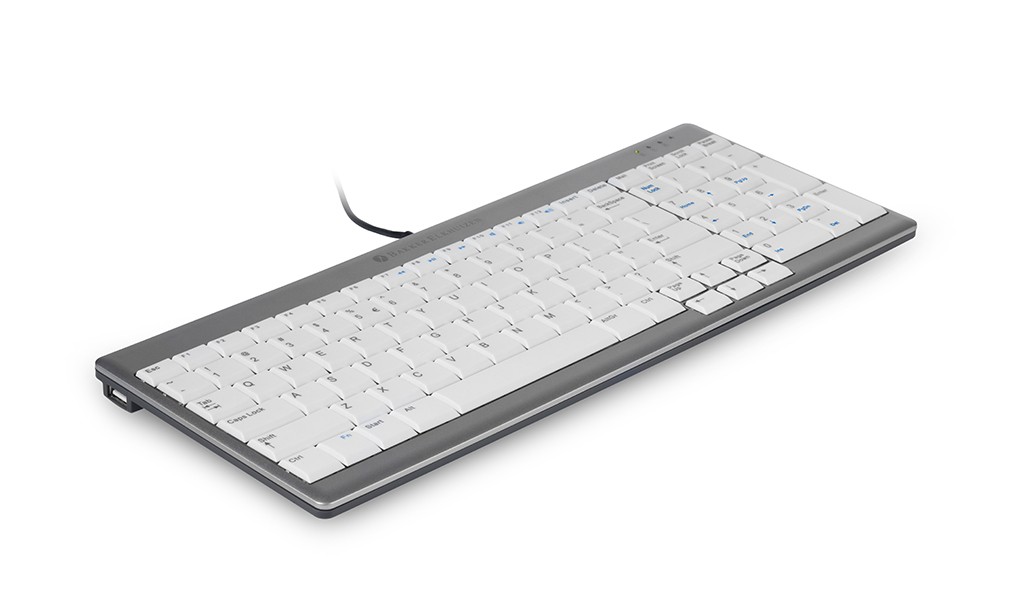

Het UltraBoard 960 V2 Standaard Compact is een ergonomisch toetsenbord met een vast numeriek deel, ideaal voor wie veel met cijfers werkt. Dankzij het compacte ontwerp werk je met de muis dichter bij je lichaam, wat de belasting van nek, schouders en armen helpt verminderen. De stille schaartoetsen, USB-C aansluiting en twee geïntegreerde USB-A poorten zorgen voor comfortabel en praktisch gebruik
€ 74,99 excluding VAT
1 in stock (can be reordered)
Het UltraBoard 960 V2 Standaard Compact van BakkerElkhuizen is een ergonomisch toetsenbord voor iedereen die graag compact werkt, maar het numerieke deel niet wil missen. Ideaal dus wanneer je veel met cijfers werkt, bijvoorbeeld in Excel, administratiesystemen of financiële programma’s.
Doordat het toetsenbord 80 mm smaller is dan een standaard toetsenbord, houd je meer ruimte over voor je muis. Daardoor werk je dichter bij je lichaam en blijft je arm beter binnen schouderbreedte. Dat helpt om onnodige spanning in je nek, schouders en bovenarmen te verminderen. Precies waar een compact toetsenbord voor bedoeld is. Lees ook ons blog over het ideale toetsenbord.
Het UltraBoard 960 V2 is een bedraad toetsenbord met een USB-C aansluiting. Gebruik je liever USB-A? Dan sluit je het toetsenbord eenvoudig aan met de meegeleverde USB-A adapter. Handig voor zowel moderne laptops als vaste werkplekken.
Belangrijke kenmerken:
De toetsen hebben een afstand van 19 mm en zijn licht hol gevormd. Daardoor sluiten ze prettig aan op je vingertoppen en typ je nauwkeurig. De bolle spatiebalk helpt bij de oriëntatie tijdens het typen.
Een compact toetsenbord zorgt ervoor dat je muis dichter bij je lichaam ligt. Bij een breed standaard toetsenbord komt de muis vaak verder naar rechts te liggen, waardoor je arm verder moet reiken. Dat lijkt klein, maar bij dagelijks computerwerk kan dit zorgen voor extra belasting in schouder, nek en arm.
Met het UltraBoard 960 V2 Standaard Compact werk je compacter, zonder dat je het numerieke gedeelte hoeft op te geven. Dit maakt het toetsenbord vooral geschikt voor gebruikers die regelmatig cijfers invoeren, maar toch ergonomischer willen werken.
De lage, stille schaartoetsen vragen weinig kracht tijdens het typen. Dat vermindert de belasting op vingers, handen en armen. Ook de lichte toetsen met donkere opdruk dragen bij aan prettig werken, omdat de toetsen goed leesbaar zijn en reflectie wordt beperkt.
Het UltraBoard 960 V2 is geschikt voor vaste werkplekken, flexplekken en hybride werken. Door het compacte formaat en lichte ontwerp neem je het toetsenbord gemakkelijk mee in een laptoptas. Combineer je het toetsenbord met een laptopverhoger en ergonomische muis, dan creëer je eenvoudig een complete ergonomische werkplek.
De twee USB-A poorten zijn handig wanneer je extra apparaten wilt aansluiten, zoals een bedrade muis, headset of los numeriek hulpmiddel. Zo houd je jouw werkplek overzichtelijk en praktisch ingericht.
Zoek je een compact ergonomisch toetsenbord mét numeriek deel? Dan is het UltraBoard 960 V2 Standaard Compact een slimme keuze. Je werkt dichter bij je lichaam, behoudt alle cijferfuncties en profiteert van een stille, comfortabele type-ervaring.
Bestel vandaag nog jouw UltraBoard 960 V2 Standaard Compact toetsenbord en ervaar hoe een compactere werkplek direct prettiger werkt. Twijfel je of dit toetsenbord past bij jouw werkplek of klachtenbeeld? Neem contact met ons op voor persoonlijk advies of maak een afspraak met één van onze ergonomisch adviseurs.
| Weight | 600 kg |
|---|---|
| Type of connection | USB connection (wired), USB-A adapter, USB-C connection (wired) |
| Type of keys | scissor mechanism |
| Usb hub | Yes |
| Layout | QWERTY |
Download the manuals here:
On average, mice take up 30% to as much as 70% of working time behind a monitor. These percentages depend on the work tasks, but there is no denying that they are substantial. Thus, the mouse is still gaining ground on the keyboard, especially with the increasing use of online applications. Still, the mouse has to settle for a marginal place, somewhere to the right of the keyboard. The mouse is even almost out of reach when there is too much "clutter" on the desk or when the desk is too narrow.
Research into causes of RSI complaints
Research by Peper and Harvey (1997) at San Francisco State University demonstrated the relationship between keyboard width and muscle tension in the neck, back, arms and wrists. Mouse users especially report tension complaints of neck, back and arms. These complaints are compounded by chronic tension caused when the cursor must be moved accurately.
Many mouse users hold the index finger still just above the mouse surface, in tense anticipation of the next mouse click. This is another cause of chronic tension in the hand, wrist joint, all the way to the shoulder area.
The effect goes even further, as it also results in high chest breathing. A better working method is to include micro and macro pauses every time we have to wait. Use the waiting time to drop the hands in the lap to rest for a while. Thus, the time spent holding the mouse in the hand can be shortened considerably in favor of recovery time.
Over time, "mouse abuse" can lead to irritation of muscles and tendons and reduced blood flow to the tissues in the hand, arm and shoulder. Before we know it, we are suffering from the chronic overuse condition also known as "mouse arm.
It need not come to this, if we take an ergonomic mouse, appropriate to hand size and work, and take a few simple precautions in terms of posture and behavior.
Prolonged work behind the monitor is low-movement and any variety is mental rather than physical. Progress has advanced to the point where we send emails to colleagues working in the same room. Thus, the body remains statically tethered to the chair and the muscles remain tense at a low, yet unconsciously too high, level while working.
Because we don't notice that relatively low level of tension, because the tension is only 5-10 percent of the level of maximum tightening. That seems almost nothing, but continuous low muscle tension is actually harmful. This is because the muscles are not given a chance to move smoothly and then relax and recover. This, in turn, contributes to the development of mouse arm and carpal tunnel syndrome.
It is therefore important to move around as much as possible and to alternate the work. Even if you have the most ergonomic mouse and the desk is so ergonomically designed, the responsibility for correct use, behavior and frequent change of position lies with you as the user and "owner of your body".
Movable and relaxed neck and shoulder muscles
Many screen users complain of pain in the neck and shoulders. Most probably because the attention is concentrated on the screen and not on the body. The unconscious and slow raising of the shoulders is not noticed. Until it starts to hurt. Also, the neck is often stretched forward to see better. This too strains the muscles unnecessarily. Simple exercises make the tension conscious and only then can the tension be consciously released.
1.Dangle
Let the arms dangle along the body. Draw the shoulders up toward the ears and hold the tension for a moment. Release the shoulders. Pull the shoulders up a little further and release again. Rotate the shoulders around and feel the relaxation. Keep breathing calmly.
2.As a turkey
Pull your neck back as if someone were pulling a string attached to the back of your neck. Just keep your head straight or look down slightly. Keep your shoulders, jaws and tongue relaxed. Continue to breathe easily and relaxed. Stay in this turkey pose for about 5 seconds. Do this exercise 10 times a day.
3.Write with your shoulders
Imagine a very long pencil strapped to the head of your right shoulder. The pencil reaches up to the wall. Write your first name on the wall and do so by moving your shoulder. Now write your last name on the wall with your left shoulder. Repeat this exercise a few times with different texts.
4.Reach for the ceiling
Bring both your arms above your head with your fingers pointing to the ceiling. Breathe with the stretching. Reach toward the ceiling with your left hand, release slightly, then reach toward the ceiling again with the right hand. Go back and forth like this for one minute. As you stretch your right arm upward turn your head to slightly to the left. As your left arm stretches upward you turn your head to the right. Experiment with the direction of the head and arms.
5.The upside-down world of the chair
The wrist is a delicate joint. Muscles, tendons, blood vessels and nerves run through a narrow, fragile tunnel there. Therefore, keep your wrists straight so that nerves are not pinched and blood flow, and thus recovery, is not unnecessarily disrupted. Your hand, just below your little finger, makes an angle with the forearm when you bend your hands outward. This often happens unconsciously when you type or when you mouse. Eventually, a persistent condition called "carpal tunnel syndrome" can develop. Working with bent wrists can also cause discomfort in the neck, shoulders and arms. Therefore, avoid working with bent wrists as much as possible.
Exercises you can do yourself to prevent RSI
Spread the fingers of both hands as far apart as you can. Do this for five seconds while keeping your shoulders and jaws relaxed. Now ball the hands into fists. Do that again for five seconds while keeping your shoulders and jaws relaxed.
Repeat the exercise three times.
Place the palms together and then press the hands down. Keep the palms flat and press them together.
Hold your hands behind your back. Straighten your arms and your elbows. Now push your arms away from your back as far as possible while continuing to breathe calmly and keeping your shoulders relaxed. Then return to the starting position. Relax again.
Repeat the exercise five times.